
HomeRocket Realty Email Address and Contact Guide opens with a concrete fact: the company lists a single public contact email, [email protected], and usually replies within one business day. This article explains when to use that address, what to include in messages from buyers, sellers, and renters, and how to reach agents, developers, or property managers through HomeRocket’s platform. It also covers response expectations, escalation paths, and simple security checks to keep messages safe. Readers get ready-to-send templates, follow-up tactics, and honest warnings based on real user friction points.
Key Takeaways
- Use HomeRocket Realty’s primary email, [email protected], for general inquiries and expect a reply within one business day.
- Include clear role tags (Buyer, Seller, Tenant) and detailed property information in emails to expedite responses and avoid back-and-forth.
- Access agent, developer, or property manager contacts primarily through HomeRocket’s platform listings or request them via the main support email.
- For urgent issues, mark emails with “urgent” and add clear deadlines in subject lines to improve handling speed.
- Avoid sending sensitive personal documents via email; offer to provide them through secure portals after verification.
- Follow up after 48 business hours if no response, escalate with detailed context after 72 hours, and always use concise, structured messages for best results.
Primary Contact Channels: Email, Phone, Live Chat, And Help Desk
Fact first: HomeRocket Realty‘s only clearly listed direct channel is email, [email protected], with a stated reply time of one business day. There is no verified public phone number, live chat widget, or dedicated help-desk address shown in the public results.
Why that matters: when a company centralizes support through one inbox, messages funnel through triage. For simple questions, listing details, account access, feedback, email is fastest. For urgent issues (fraud, account compromise), expect delays if no phone or live chat exists: users should add “urgent” and the site name in the first line.
Practical detail: include homerocketrealty.com in the message body as the site requests. That small phrase speeds routing to the right internal team.
When to expect alternatives: HomeRocketRealty supports agents and developers through platform tools: those tools may expose agent contact details inside a listing or agent dashboard rather than via a public support phone. For a guide to locating the official contact page and links inside the site, consult the platform’s contact walkthrough in the supporting article on finding the official contact page: official contact walkthrough.
Official Email Addresses And When To Use Each One
Answer up front: use [email protected] for general questions, feedback, and initial outreach because it’s the only published public address. No role-specific addresses (buyer@, seller@) are publicly listed.
When to use it:
- General questions and feedback: send to [email protected].
- Listing inquiries: include the property address and request agent contact or showing times.
- Technical account issues: include screenshots, device/browser, and a clear description.
What to label in subject lines: start with a role tag, “Buyer:”, “Seller:”, or “Tenant:”, then the property address. That small structure reduces back-and-forth.
Practical warning: because there’s one public inbox, avoid sending attachments larger than 5–10 MB. Instead, link to files via cloud storage and label them clearly (example: “Offer_JohnDoe_03-12.pdf”).
How To Email As A Buyer, Seller, Or Renter: What To Include
Direct answer: include a clear role statement, property identifier, three lines of core facts, and contact details. That format cuts response time and reduces clarification emails.
Buyer specifics (what to include): role line (Buyer), full property address or listing ID, ideal viewing windows (two options), budget range, financing status (pre-approved or not), contact phone, and preferred contact hours. Example detail: “Pre-approved by FirstBank for $420,000, available evenings.”
Seller specifics: state ownership and desired timeline, request valuation steps, and list two recent upgrades (for example: “new roof 2022, HVAC replaced 2024”). Ask for marketing samples and expected fees.
Renter specifics: desired move-in date, lease length, any pets, and proof of income or references readiness. If renting immediately, note earliest move-in date and whether they have a guarantor.
Structure tip: put the key facts in the first 4–6 lines, followed by optional context. That helps a triage agent scan the message in 10–20 seconds.
Ready-To-Use Email Templates And Subject Lines
Key insight first: ready templates save five to fifteen minutes per message and reduce missed details that delay replies.
Buyer template
Subject: Buyer inquiry about [property/address]
Hello Home Rocket Realty,
I am a buyer interested in [property/address]. Please share availability for showings, current price, recent disclosures, and the best next steps. I am pre-approved for $[amount]. Contact: [name], [phone], [email].
Thanks,
[name]
Seller template
Subject: Seller inquiry for [property/address]
Hello Home Rocket Realty,
I own [property/address] and want information about listing services. Please send valuation steps, marketing packages, and timeline for listing. Recent updates: [list two]. Contact: [name], [phone], [email].
Thanks,
[name]
Renter template
Subject: Rental inquiry for [property/address]
Hello Home Rocket Realty,
I am interested in renting [property/address]. Please provide rent, move-in date options, application requirements, and viewing times. Move-in earliest: [date]. Contact: [name], [phone], [email].
Thanks,
[name]
Practical note: include homerocketrealty.com in the body to follow the site’s routing instruction and increase the chance of a one-business-day reply. For more on what to include in messages, see the deeper checklist in the dedicated article: email checklist and guidance.
Contacting Agents, Developers, And Property Managers Through HomeRocket
Straight answer: HomeRocket’s platform connects users to agents, developers, or property managers mostly through listing pages and platform tools rather than separate public emails. Users often contact the listing’s agent via the contact form embedded on a listing or through contact details visible after signing in.
How to proceed: when interested in a property, open the listing and look for the agent card or contact button. If the listing lacks agent contact, send a detailed message to [email protected] asking for the agent’s direct contact and include the listing ID.
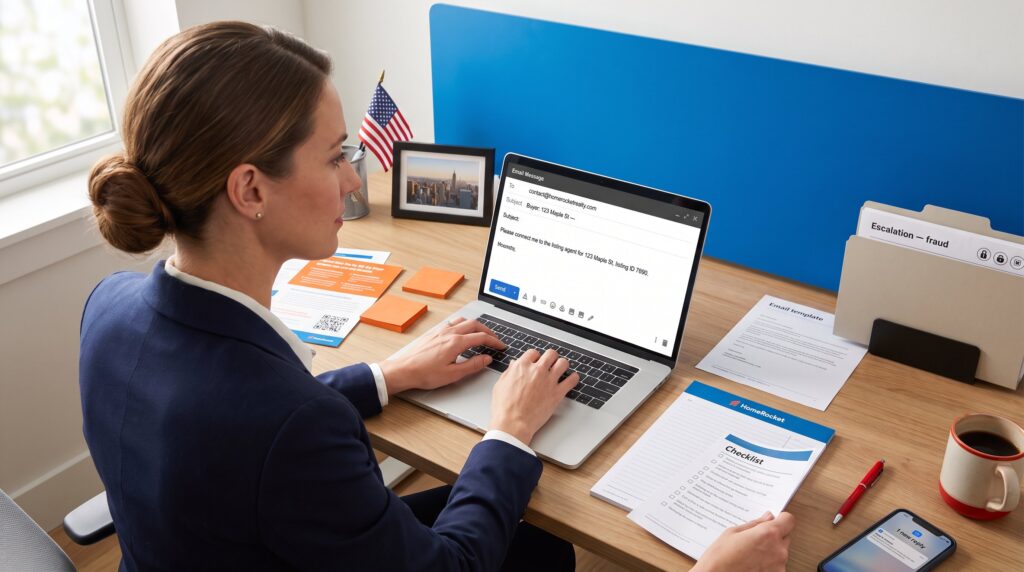
Specific example: a buyer messages [email protected] with “Please connect me to the listing agent for 123 Maple St, listing ID 7890” and receives agent details or a forwarding message.
Developer and property manager outreach: for bulk or developer-level questions (multiple units, marketing partnerships), label the subject line “Developer inquiry” or “Property manager request” and include company name, portfolio size, and intended collaboration. Expect routing to the partnerships or enterprise team: this may take longer than one business day.
Practical warning: never share sensitive documents (SSNs, full tax returns) in an initial inquiry. Offer to provide them via secure portal or after establishing verified contact.
Support Response Times, SLAs, And Best Follow-Up Practices
Top fact: HomeRocket states it usually replies within one business day. That is the baseline SLA for a first response, not necessarily a full resolution.
What to expect: initial triage reply within ~24 business hours: complex requests (title issues, listings disputes, partnership contracts) may take 3–7 business days. If contacting about agent introductions, timelines vary by agent availability.
Best follow-up practice:
- Wait 48 hours business time after the first email before following up.
- In the follow-up subject, add “Follow-up:” plus the original subject and a one-line status request.
- If no reply after 72 hours, send a short escalation message labeled “Escalation request” and copy the original message below to preserve context.
Practical tactic: include a single-line summary at the top of every email (one-sentence ask). Triage teams read the first sentence: this raises the chance of a helpful one-day reply. If time-sensitive, mark the subject with a clear date (for example, “Showing request, needs reply by 03/22”).
Troubleshooting, Escalations, Privacy, And Security When Emailing
Clear answer: use the published Privacy Policy for data handling expectations, avoid sending sensitive identifiers in initial emails, and follow simple verification steps when you suspect a scam.
Troubleshooting steps:
- If you don’t receive a reply in one business day, confirm the message reached [email protected] and that your spam filters didn’t bounce it.
- Re-send with a short subject “Resend:” and paste the original message below.
Escalation advice: label the email “Escalation request” and include the original send date and message. If the issue involves potential fraud (suspicious wiring instructions, requests for unusual payments), stop communication, preserve the messages, and ask HomeRocket to confirm via reply whether the payment request is legitimate.
Privacy and security tips:
- Don’t email Social Security numbers, bank login details, or full tax returns. Instead, say “I can provide secure docs upon verification.”
- Verify attachments by scanning for malware and use descriptive filenames (example: Offer_JaneDoe_2026.pdf).
- If a message claims to be from HomeRocket but comes from a different domain, forward the message to [email protected] and ask for verification.
Honest note: central inbox models can slow urgent actions. A user’s lesson learned: one sender reported waiting three business days for a complex partnership reply: the team resolved it after an escalation email with explicit deadlines. That kind of delay argues for including clear dates and a one-line urgency tag in the first line.
More Stories
How to Find the Official HomeRocket Realty Contact Page
When to Email HomeRocket Realty
How to Mix Siding Textures for a Craftsman Home That Boosts Curb Appeal
Why Homeowners Should Address Uneven Temperatures Between Rooms